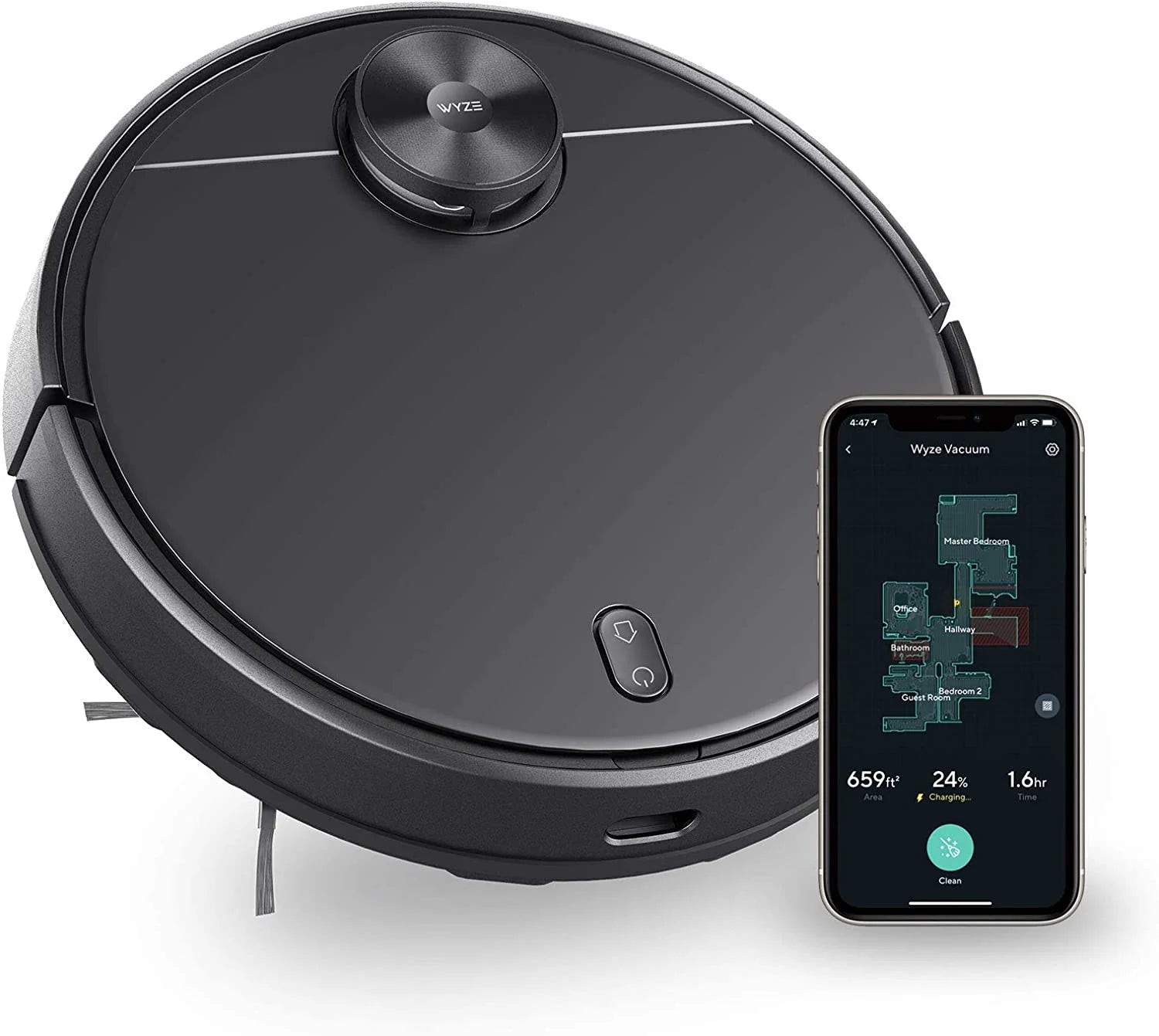
How to Extend the Life of Your Wyze Robot Vacuum: Maintenance Tips and Replacement Parts
By Wyzeussale | Published: 2026-05-24
Category: How-to Guides
Learn essential maintenance tips to extend the life of your Wyze Robot Vacuum, including cleaning sensors, replacing filters, and using genuine parts like the dustbin.
Your Wyze Robot Vacuum is a workhorse, quietly keeping your floors clean day after day. But like any hardworking machine, it needs regular care to perform at its best. Without proper maintenance, performance can drop, battery life can shorten, and costly repairs may become necessary. In this guide, we'll walk you through practical tips to extend your robot vacuum's lifespan, including how to clean key components, when to replace parts, and how to choose the right accessories. Whether you're a new owner or a seasoned user, these steps will help you get the most out of your investment.
Why Regular Maintenance Matters for Your Robot Vacuum
Robot vacuums collect dust, pet hair, and debris every day. Over time, this buildup can clog filters, jam brushes, and strain the motor. Neglecting maintenance not only reduces cleaning efficiency but can also lead to permanent damage. By following a simple routine, you can keep your vacuum running smoothly for years. Key areas to focus on include the brush roll, filter, sensors, wheels, and battery. Let's dive into each.
Step 1: Clean the Brush Roll and Side Brushes
The brush roll and side brushes are the primary cleaning tools. Hair and string can wrap around them, reducing suction and causing the motor to work harder. Here's how to maintain them:
- Check weekly: Remove the brush roll and side brushes. Use scissors or a cleaning tool to cut away any tangled hair.
- Inspect for wear: If bristles are bent or broken, replace them. The standard side brushes are affordable and easy to swap.
- Lubricate bearings: Some models have bearings that may benefit from a drop of light oil every few months (check your manual).
For thorough cleaning, you can also remove the brush roll cover and wipe the compartment with a damp cloth. This prevents debris from building up.
Step 2: Replace or Clean the Filter Regularly
The filter traps fine dust and allergens. A clogged filter reduces suction and forces the fan to work harder. Most manufacturers recommend cleaning the filter every week and replacing it every 2-3 months. For the Wyze Robot Vacuum, the filter is washable—rinse it under lukewarm water, let it dry completely for 24 hours, then reinstall. If you notice a musty smell or reduced performance, it's time for a new filter. Genuine replacement parts ensure optimal fit and filtration.
Step 3: Empty the Dustbin After Every Use
The dustbin fills quickly, especially in homes with pets or heavy foot traffic. Empty it after each cleaning session to prevent overflow and maintain suction. For deep cleaning, remove the dustbin and rinse it with water. Let it dry thoroughly before reinserting. If the dustbin gets damaged or the seal wears out, consider a replacement. The Wyze Robot Vacuum - Dustbin is a direct-fit part that restores full functionality.
Step 4: Clean Sensors and Charging Contacts
Robot vacuums rely on sensors to navigate and avoid obstacles. Dust on cliff sensors, wall sensors, or charging contacts can cause erratic behavior or failure to dock. Use a soft, dry cloth or a cotton swab to gently wipe these areas weekly. For sticky residue, a little isopropyl alcohol on a cloth works well. Clean the charging contacts on both the vacuum and the dock to ensure a good connection.
Step 5: Maintain the Wheels and Casters
The drive wheels and front caster can collect hair and debris, causing the vacuum to move slowly or get stuck. Check them monthly:
- Remove the caster: Pop it out and clean the axle with tweezers or a small brush.
- Check drive wheels: Use a screwdriver to remove any hair wrapped around the axles.
- Lubricate if needed: Some wheels have bearings that benefit from light lubrication.
Proper wheel maintenance keeps the vacuum moving freely across different floor types.
Step 6: Optimize Battery Life
Battery health is crucial for long vacuum life. Over time, all rechargeable batteries degrade. To extend battery life:
- Avoid complete drains: If possible, dock the vacuum after each use rather than letting it run until empty.
- Store in a cool place: High temperatures accelerate battery wear. Keep the vacuum away from direct sunlight or heaters.
- Replace when needed: If you notice significantly reduced run time, it's time for a new battery. Use genuine parts for safety and performance.
Step 7: Update Firmware and Use Smart Features
Wyze regularly releases firmware updates that improve navigation, battery management, and cleaning patterns. Check the Wyze app for updates and install them promptly. You can also schedule cleaning during off-peak hours to reduce strain on the motor and battery. Using the app's spot cleaning or zone cleaning features can target high-traffic areas without running the entire house.
When to Replace Parts: A Practical Guide
Even with excellent care, parts wear out. Here's a quick reference:
| Part | Expected Lifespan | Signs of Wear |
|---|---|---|
| Filter | 2-3 months | Visible dirt, reduced suction, odor |
| Brush Roll | 6-12 months | Bent bristles, noise, poor pickup |
| Side Brushes | 3-6 months | Broken bristles, uneven cleaning |
| Dustbin | 1-2 years | Cracks, poor seal, leaking debris |
| Battery | 1-2 years | Short run time, won't hold charge |
Using genuine replacement parts ensures compatibility and maintains warranty. For instance, the Wyze Robot Vacuum - Dustbin is designed to fit perfectly and restore full suction efficiency.
Common Mistakes to Avoid
Even well-meaning owners sometimes make mistakes. Avoid these:
- Using wet filters: Never reinstall a filter that isn't completely dry. Moisture can damage the motor and lead to mold.
- Ignoring error codes: If your vacuum beeps or flashes an error, check the manual. Ignoring it can worsen the issue.
- Overloading the dustbin: Don't wait until the dustbin is overflowing. Empty it regularly.
- Using abrasive cleaners: Harsh chemicals can damage plastic parts and sensors. Stick to mild soap and water.
Conclusion: Invest in Care for Long-Lasting Performance
Your Wyze Robot Vacuum is a smart investment in home cleanliness. By following these maintenance tips—cleaning brushes, replacing filters, emptying the dustbin, and caring for the battery—you can extend its life significantly. Genuine replacement parts make all the difference in performance and durability. If you notice your dustbin isn't sealing properly or has cracks, upgrading to the Wyze Robot Vacuum - Dustbin is a simple fix that restores peak suction. Explore the full range of accessories and parts to keep your vacuum running like new for years to come.