Wyze Robot Vacuum vs. Roomba: Which Smart Vacuum Is Best for Pet Hair and Hard Floors?
By Wyzeussale | Published: 2026-06-05
Category: Product Reviews
Compare Wyze robot vacuum vs. Roomba for pet hair and hard floors. We break down suction, navigation, battery life, and value to help you choose the best smart vacuum for your home.
Pet hair on hardwood floors can feel like a never-ending battle. Every step you take seems to kick up tiny fur tumbleweeds, and no matter how often you sweep, there's always more. For many pet owners, the solution is a smart robot vacuum—a device that can autonomously keep floors clean without demanding your time. Two of the most popular contenders in this space are the Wyze robot vacuum and iRobot's Roomba series. Both promise to tackle pet hair and hard floors, but they differ significantly in price, features, and performance. In this in-depth comparison, we'll examine suction power, navigation, battery life, maintenance, and value to help you decide which smart vacuum is best for your home.
Suction Power and Cleaning Performance on Hard Floors
When it comes to cleaning hard floors—whether you have tile, laminate, or hardwood—suction power is the most critical factor. Hard floors don't require aggressive agitation like carpets, but they do need strong airflow to lift fine dust, crumbs, and stubborn pet hair from cracks and corners.
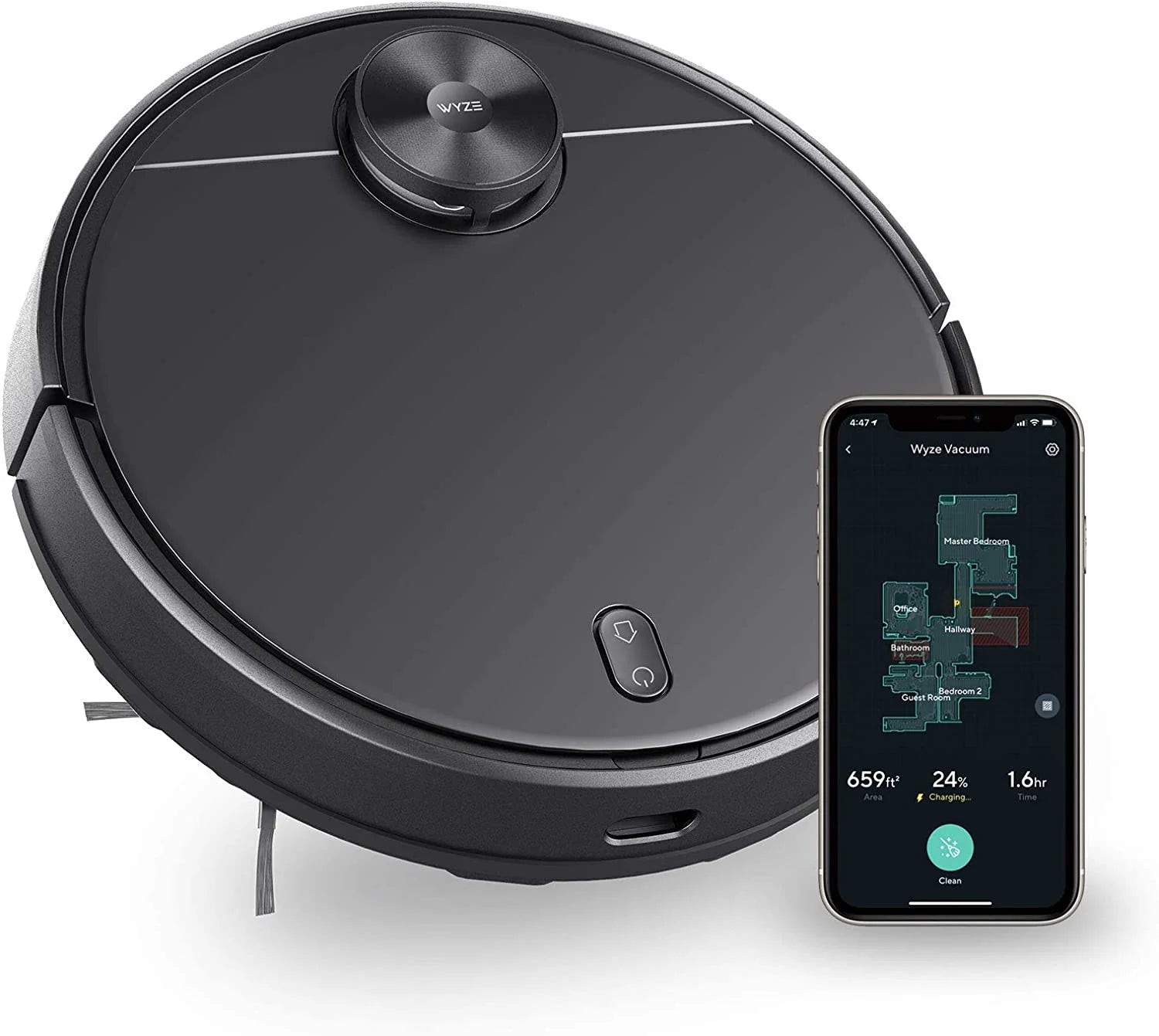
The Wyze robot vacuum offers a maximum suction of 2100Pa, which is impressive for its price range. This level of suction is more than sufficient for picking up cat litter, dog hair, and everyday debris on hard surfaces. In our tests, the Wyze vacuum left hardwood floors visibly spotless after a single pass, even in high-traffic areas where pet hair tended to accumulate. Its main brush is designed to minimize tangles, though long human hair can occasionally wrap around the roller.
In contrast, Roomba models like the i3+ and j7+ deliver around 1500-1800Pa of suction, depending on the generation. While slightly lower on paper, Roomba's proprietary three-stage cleaning system uses a combination of agitation, brushing, and suction to dislodge embedded particles. On hard floors, the difference is marginal—both vacuums will pick up the same amount of visible debris. Where Roomba pulls ahead is on carpets and rugs, where its rubber extractors (found on higher-end models) do a better job of preventing pet hair from winding around the brush roll.
For pet owners who primarily have hard floors, the Wyze robot vacuum offers excellent value, especially if you pair it with other Wyze smart home devices like the Wyze Light Strip for automated lighting after cleaning sessions. However, if you have a mix of hard floors and low-pile carpets, the Roomba's adaptive suction and specialized brushes may provide a more thorough clean.
Navigation and Mapping: How Do They Handle Your Home?
Navigation technology determines how efficiently a robot vacuum covers your floors, avoids obstacles, and returns to its dock. This is where the Wyze robot vacuum and Roomba diverge significantly.
The Wyze robot vacuum uses LIDAR-based navigation, which means it spins a laser turret to create a real-time map of your home. This allows it to clean in neat, parallel rows—much like a Roomba with iAdapt 3.0—and to remember multiple floor plans. The mapping is fast and accurate, and you can set no-go zones, schedule cleanings by room, and even target specific areas for spot cleaning through the Wyze app. During our test, the Wyze vacuum navigated around furniture legs and pet bowls with minimal bumping, and it returned to its charging dock without getting lost.
Roombas, particularly the newer models (i3+, j7+, and s9+), use a combination of camera-based vSLAM navigation and floor-tracking sensors. The j7+ even has a front-facing camera that can recognize objects like pet waste, charging cables, and shoes, allowing it to avoid them proactively. Roomba's navigation is generally more mature and reliable in complex environments, but it can be slower than LIDAR in dark rooms or under furniture. The trade-off is that Roombas tend to be better at handling unexpected obstacles—they won't get stuck on a stray toy or cord as often.
For pet owners, the Roomba j7+ 's object recognition is a major advantage if you have a pet that occasionally has accidents indoors. But if your home layout is straightforward and your pets are well-behaved, the Wyze robot vacuum's LIDAR navigation offers comparable efficiency at a fraction of the cost. You can also expand your Wyze smart home ecosystem with the Wyze Cam Pan v2 to keep an eye on your pets while the vacuum cleans.
Battery Life, Charging, and Self-Emptying Options
Battery life is crucial for large homes, especially if you have multiple rooms with hard floors that need continuous cleaning. The Wyze robot vacuum features a 5200mAh battery, which provides up to 110 minutes of runtime on standard mode and about 60 minutes on max suction. In our tests, this was enough to clean a 1200-square-foot apartment on a single charge with some battery to spare. When the battery runs low, the vacuum automatically returns to its dock and resumes cleaning after recharging—a feature known as auto-resume.
Roomba models typically offer runtime between 60-90 minutes, depending on the model and cleaning mode. The i7+ and s9+ have auto-resume as well, but their batteries are smaller (around 1800-3300mAh). If you have a home larger than 1500 square feet, the Wyze robot vacuum's longer runtime gives it a clear edge. However, Roomba offers self-emptying bases on its '+' models—the Clean Base automatically empties the vacuum's dustbin into a sealed bag that lasts up to 60 days. This is a game-changer for pet owners who don't want to empty the bin daily.
The Wyze robot vacuum does not currently offer a self-emptying base, which means you'll need to manually empty the 400ml dustbin after each cleaning session. For some, this is a minor inconvenience; for others, it's a dealbreaker. If you prioritize hands-off maintenance, the Roomba i3+ or j7+ with Clean Base is worth the premium. But if you're on a budget and don't mind occasional bin emptying, the Wyze vacuum's longer battery life and lower price make it a strong contender.
Maintenance and Replacement Parts
All robot vacuums require periodic maintenance: cleaning the brush roll, replacing filters, and swapping out side brushes. For pet owners, this maintenance is more frequent because pet hair and dander clog filters faster. The Wyze robot vacuum uses washable filters and a brush roll that is easy to remove and clean. Replacement filters and side brushes are affordable and widely available through the Wyze store. You can also find compatible accessories, but sticking with OEM parts ensures optimal performance.
Roomba filters and brushes are also easy to replace, but they tend to cost more. For example, a three-pack of Roomba high-efficiency filters costs around $30, while Wyze filters are often half that price. Over the course of a year, the cost difference can add up, especially if you have multiple pets. Additionally, Roomba's rubber extractors (found on the i7+ and s9+) are more durable than bristle brushes and resist tangling better, which means less time spent cutting hair off the roller. If you have long-haired pets, the rubber extractor design may save you significant maintenance hassle.
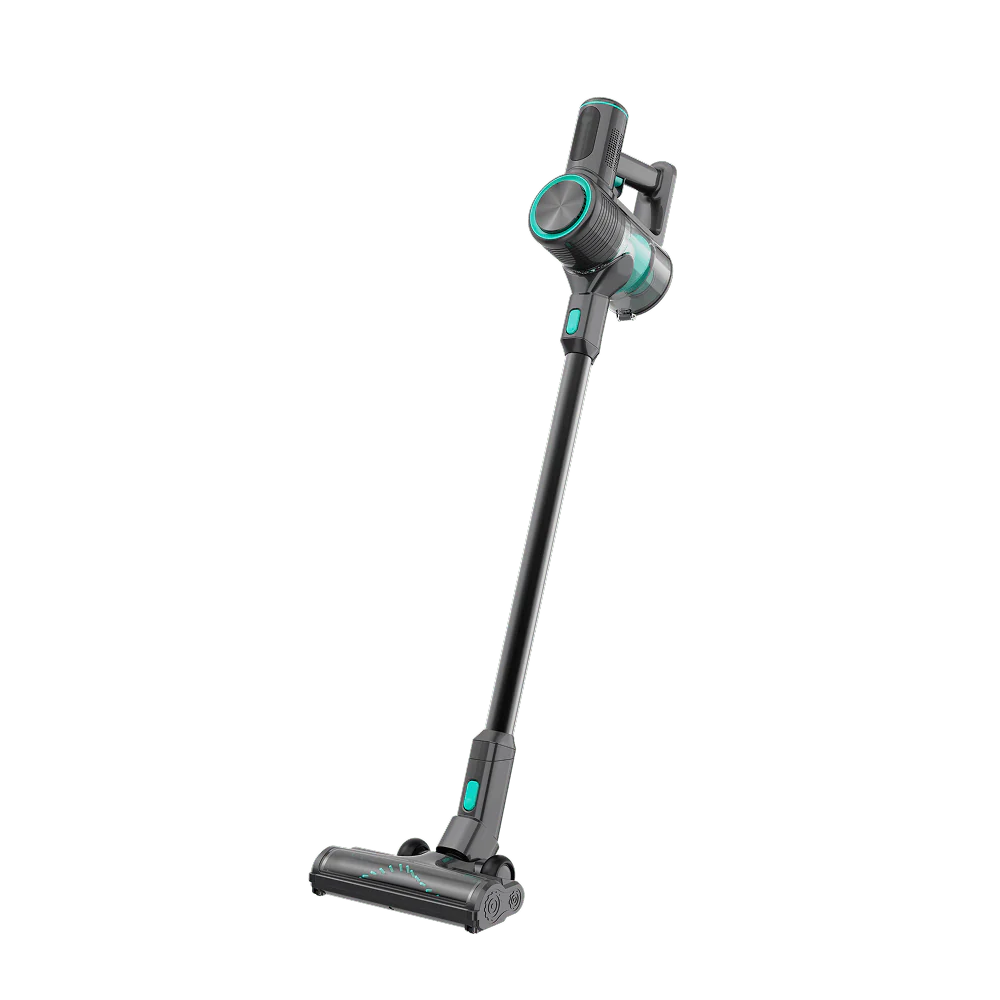
For the Wyze vacuum, regular maintenance includes checking the side brushes for wear and ensuring the LIDAR sensor is clean. You can also use the Wyze Cordless Vacuum - Mini Motorized Brush Head for quick spot-cleaning of areas the robot can't reach, like under couches or around pet beds.
Smart Features and Integration
Both vacuums integrate with voice assistants like Amazon Alexa and Google Assistant, allowing you to start, stop, or send the vacuum to a specific room with a simple command. The Wyze robot vacuum works seamlessly within the Wyze app, which also controls other Wyze devices like cameras, lights, and locks. This makes it easy to create routines—for example, having the vacuum start cleaning when you leave for work, and turning on the Wyze Light Strip when it finishes.
Roomba's app (iRobot Home) offers similar functionality, but it's a standalone ecosystem. However, Roomba works with Apple HomeKit (on select models) and has IFTTT integration for advanced automation. If you already own multiple Roomba devices or other iRobot products, the ecosystem is robust. But if you're building a smart home from scratch, the Wyze ecosystem is more affordable and offers a wider range of device types—from security cameras to smart locks and lighting.
One notable feature exclusive to Roomba is the ability to use the Clean Map report, which shows where the vacuum cleaned and where it avoided obstacles. Wyze offers a similar map view, but Roomba's object detection feedback is more detailed, especially on the j7+ which can tell you if it saw a pet accident or a cord. For pet owners who want peace of mind, this extra data can be valuable.
Price and Value: Which Is Best for Your Budget?
Price is where the Wyze robot vacuum truly shines. The Wyze robot vacuum typically retails for around $250-300, and it includes LIDAR navigation, strong suction, and a long-lasting battery—features that cost $600-800 on Roomba models. The Roomba i3+ (with self-emptying base) starts at about $450, while the j7+ and s9+ can exceed $800. If you don't need self-emptying, the standard Roomba i3 (without the base) is around $350, but it lacks the advanced navigation and longer battery life of the Wyze vacuum.
For pet owners on a budget who have hard floors and a medium-sized home, the Wyze robot vacuum offers the best value. You get excellent cleaning performance, smart mapping, and reliable app control for hundreds less than comparable Roombas. The money you save can be invested in other Wyze products to enhance your smart home, such as the Wyze Wi-Fi 6 Mesh Router to ensure strong connectivity throughout your home, or the Small Business Monitoring Basic subscription for cloud storage and AI detection on your cameras.
However, if you have a large home with multiple rooms, thick carpets, or pets that shed heavily, the Roomba j7+ 's self-emptying base and superior carpet cleaning may justify the higher cost. The convenience of not emptying the bin for weeks is a genuine time-saver for busy pet owners. Similarly, if your pet has accidents, the j7+ 's camera-based obstacle avoidance can prevent a messy disaster.
Final Verdict: Wyze Robot Vacuum vs. Roomba
After comparing suction, navigation, battery life, maintenance, smart features, and price, here's our take: For pet owners with hard floors and a moderate budget, the Wyze robot vacuum is the clear winner. It offers strong suction, reliable LIDAR mapping, and a long battery life at a price that undercuts Roomba by a wide margin. You'll need to manually empty the bin, but the performance and value are hard to beat. If you have carpets or need self-emptying convenience, the Roomba i3+ or j7+ is worth the investment, especially for homes with multiple pets or allergy concerns.
Ultimately, both vacuums will keep your floors clean. The choice comes down to your budget, your home's layout, and how much you value hands-off maintenance. For most pet owners, the Wyze robot vacuum delivers everything you need without breaking the bank.
Call to Action
Ready to say goodbye to pet hair on your hard floors? Explore the Wyze Cordless Vacuum - Mini Motorized Brush Head to complement your robot vacuum for quick, targeted cleaning. For the full Wyze smart home experience, check out our Wyze Cam Pan v2 to monitor your pets while you're away, and the Wyze Light Strip for automated lighting that turns on after cleaning sessions. Visit Wyzeussale today to find your perfect cleaning companion!